Bot-free recording
Capture system audio and your microphone without inviting an assistant into the meeting.

Capture the conversation, turn it into searchable text with on-device AI, and on Mac get an AI summary written on your computer too. Keep the files in your own folders. No meeting bot, cloud upload, or subscription.
Mac + Windows · $14.99 once
Capture system audio and your microphone without inviting an assistant into the meeting.
Turn recordings into searchable text with Whisper, an AI speech model that runs on your computer, instead of uploading audio for processing.
Keep recordings and transcripts together, browse past sessions, and search meeting names in the Windows library.
Search transcript text and use timestamps to return to the corresponding moment in a recording.
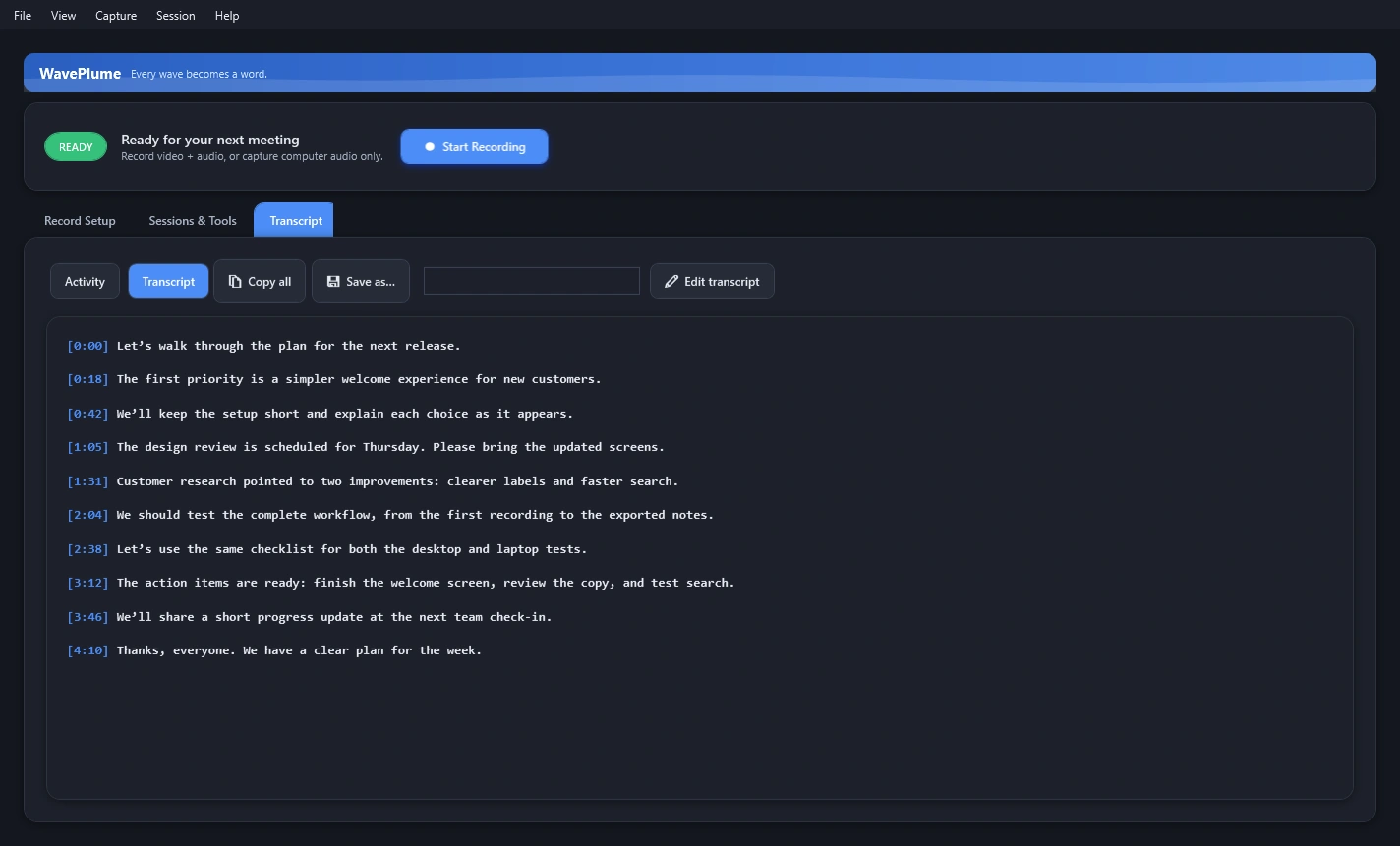
Edit a transcript on Windows, save your corrections, and keep text and subtitle files alongside the original media.
Import an audio or video file on Windows and transcribe it locally with the same Whisper workflow.
Record computer audio and your microphone, with optional screen or window capture. Use audio only when you just need the conversation.
Choose Quick Note, Standard Meeting, or Archival Quality, then adjust the sources and quality for the meeting.
Use the Windows live preview and audio meters to check the selected source before starting a recording.
Windows break-pause controls split a long session into parts while keeping its recordings and transcript associated with the meeting.
Select a local transcription quality tier on Windows. Larger models take more time and memory; each model downloads on first use.
Choose your Windows recording library location, open session folders in Explorer, and keep your files accessible outside the app.
The Mac edition, version 1.5.0, shown with fictional meeting content.
The Windows edition, shown with fictional meeting content.
Yes, on your computer. Transcription uses Whisper, an AI speech-recognition model, on Mac and Windows. On Mac, WavePlume’s built-in AI model also writes meeting summaries on your Mac by default. You can choose Apple Intelligence instead, or an online service with your own key, and the app asks before a transcript leaves your Mac.
No. Recording and transcription happen locally. An internet connection is needed to download a selected Whisper model before its first use. On Mac, meeting summaries are also written on your Mac by default; a transcript goes to an online service only if you choose one and agree when the app asks. Optional connected features may also use the network.
Yes. On Windows, search the transcript, correct its text, and save your changes. Transcription produces text and SRT subtitle files; timestamp links can return you to the source recording when that media is present.
Both provide local recording and Whisper transcription. The screenshots on this page show each edition separately, and the detailed controls listed above describe the Windows edition; platform interfaces and individual tools differ.
Yes. The Windows trial gives you 14 days to test the workflow before buying through the Microsoft Store.
WavePlume can capture system and microphone audio. You are responsible for following the recording and consent laws that apply to you and the people in the meeting.
Visit WavePlume support or email support@shrpware.com.